
1. What is a Digital Carnet & how long Is the pilot phase?
add
1. What is a Digital Carnet & how long Is the pilot phase?
add
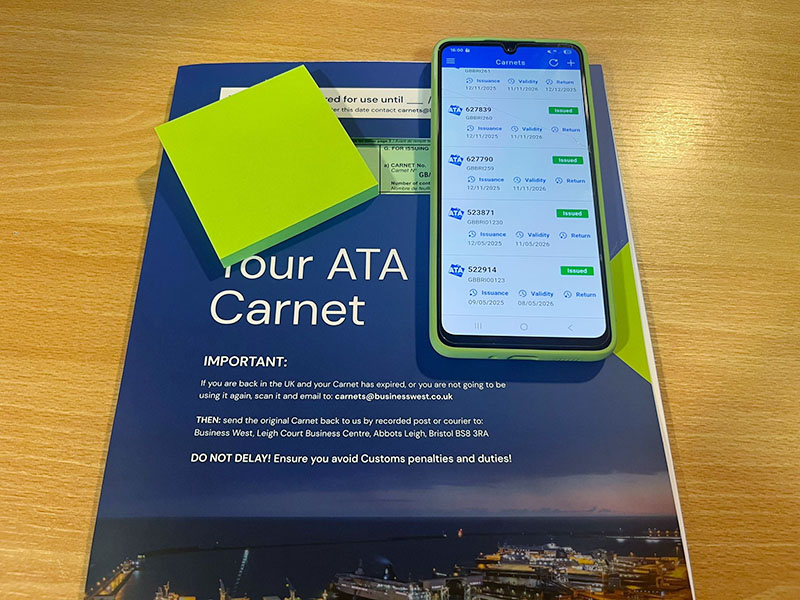
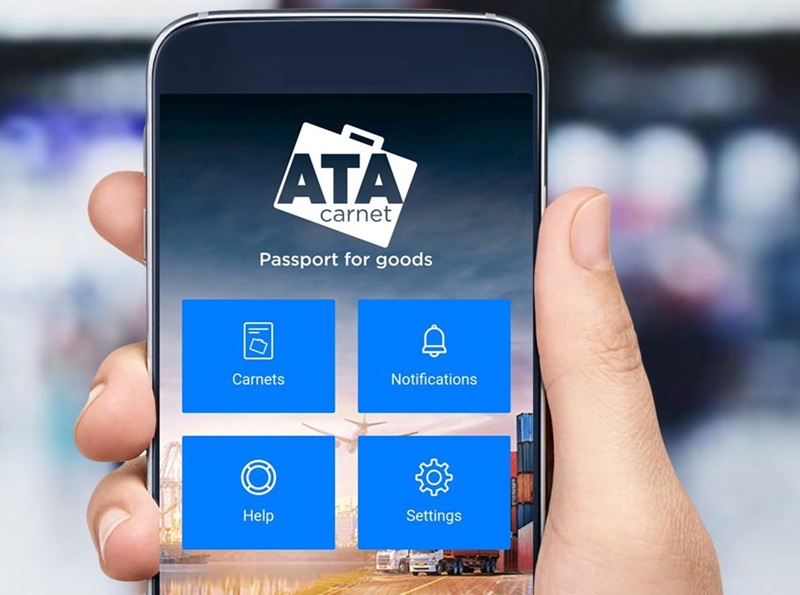
In very simple terms, a Digital Carnet (also known as an eATA Carnet) is a paper or manual Carnet presented on a mobile phone app. Referred to as a ‘passport for goods’ a Carnet is an international customs document that permits duty-free and tax-free temporary import of goods for up to one year.
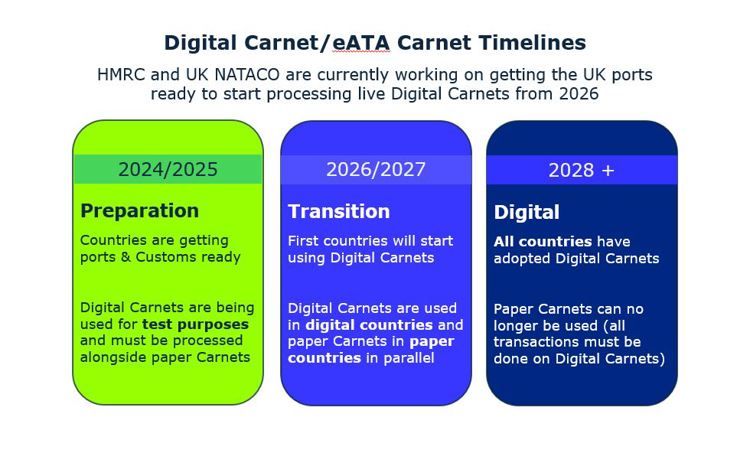
The digital pilot was implemented to allow some customers and customs agents to test the system and try it out in “real-world” conditions. It started in 2021 as part of the global initiative led by the International Chamber of Commerce and the World Customs Organisation and is due to finish by the end of 2025. The plan is for all countries to be fully digital by the end of 2028.
2. What are the benefits of using a Digital Carnet?
add
2. What are the benefits of using a Digital Carnet?
add
Carnets cut red tape by simplifying and unifying customs border crossing regulations for temporary export and import in over 80 countries around the world. The risk of losing a paper carnet or not getting it stamped in the correct place, or at all, is removed. A digital carnet also reduces the amount of paperwork you or your freight agent needs to carry with them and can be accessed easily via mobile phone or desktop app by multiple people using a unique PIN and QR code.
Key benefits:
- Save paper, ink, printing and energy costs
- Save time and simplify the administrative side of ATA Carnets
- Reduce the likelihood of errors and Carnet loss
- Reduce the likelihood of financial penalties from overseas customs
3. What countries will use the Digital Carnet system?
add
3. What countries will use the Digital Carnet system?
add
The aim is for all Carnet countries to become fully digital by 2028 and be capable of accepting a digital Carnet. Check the list of live and pilot countries for regular updates.
4. What happens if I am visiting both a paper and a Digital country during my trip? For example, I am travelling to the EU and the USA with my Carnet
add
4. What happens if I am visiting both a paper and a Digital country during my trip? For example, I am travelling to the EU and the USA with my Carnet
add
There will be a transition phase, where some countries will accept Digital Carnets, and some will still be accepting paper Carnets. During this period both paper and digital Carnets will be issued (depending on what type of Carnet each destination accepts), and this will be known as a ‘parallel Carnet’.
If your itinerary contains both sets of destinations, then we'll issue ‘parallel’ Carnets (i.e. a paper Carnet and a corresponding digital Carnet with the same Carnet number and information).
- The holder should present both Digital and paper Carnets to Customs in the UK for scanning/stamping
- The holder should present the Digital Carnet only to the Digital country for scanning (i.e. the EU, Switzerland, Norway)
- The holder should present the paper Carnet only to the paper country for stamping (i.e. USA)
- The holder should present both Digital and paper Carnets to the UK customs for scanning/stamping upon re-import. This is essential for mitigating risk of unanswerable claims
5. How do I apply for a Digital Carnet?
add
5. How do I apply for a Digital Carnet?
add
Simple, you apply through the eCert system (login as normal) and the system will automatically know which countries accept Digital Carnets. It will also create a parallel Carnet for your multi-country visit should some countries not be live and still use a paper Carnet. Once your Carnet has been approved, and involves a Digital Carnet destination, you can prepare yourself using our how-to-guides.
6. Do we use separate Carnet numbers for Digital and paper carnets issued in parallel?
add
6. Do we use separate Carnet numbers for Digital and paper carnets issued in parallel?
add
No. Both the paper and its corresponding Digital Carnet will have the same Carnet number (and contain the same information).
7. Will the Carnet General List change?
add
7. Will the Carnet General List change?
add
A Digital Carnet general list does not support headings and end of list comments. A total weight is also a minimum requirement. There are helpful general list guides on our website which will help you create one that will be accepted by the new digital system.
8. How do I use my Digital Carnet?
add
8. How do I use my Digital Carnet?
add
The steps are:
- The holder downloads the Carnet onto the Digital Carnet app (on a smartphone/tablet/iPad)
- The declaration (or ‘Travel’ as it is known in Digital Carnet terms) is completed in the App and the QR code is presented to Customs
- Customs scan the QR code, verify the data and process the transaction
- The transaction is recorded in the holder app and Customs' software. This is visible to the holder, Customs and the issuing chamber (Business West)
- The holder 'returns' the Digital Carnet on the app and then Business West discharges it
9. Can multiple users access one account on the ATA Carnet app/ desktop site?
add
9. Can multiple users access one account on the ATA Carnet app/ desktop site?
add
Yes. If you have multiple different users wishing to have access to one company’s account, this is possible.
For example, you may have many colleagues who need to access the same list of Carnets issued to your company.
The user who created the account will be the ‘Holder Manager’. Log into your account via the ATA Carnet desktop site.
Existing account users can create additional accounts for colleagues in the 'Accounts section'.
You can manage their roles and permissions.
When a user adds a colleague (Holder) from the Accounts section in ATA Carnet Desktop, the invited user’s status will appear as “Pending invitation”.
Important: at this stage, no automatic email invitation is sent to the invited user.
To complete the process, the invited user must take the following steps manually:
- Go to the ATA Carnet application login page: https://app-eur.atacarnet.iccwbo.org/login
- Click Login
- Create an account using the same email address that was used for the invitation
Once the account has been created with the matching email address, the user will be automatically linked to your company account and their status will be updated accordingly.
This way, all users will have the same view and access to all Digital Carnets downloaded on your company account.
10. Do I need to sign my Digital Carnet?
add
10. Do I need to sign my Digital Carnet?
add
Similarly to a paper Carnet, a Digital Carnet needs to be signed. Whilst on a paper Carnet, the director should physically sign box J of the front cover, a Digital Carnet can be signed via the app.
Once you have downloaded your Carnet to your app via the ID and PIN, it must be signed before any ‘travels’ (aka declarations) can be created.
The holder or their authorised representative must sign the Carnet to confirm its data.
- Review the Carnet details and general list to ensure they match official records.
- Confirm that your personal data matches your official identity documents.
- Provide your initial digital signature as prompted by the system (you will notice a blue box that reads ‘Sign the Carnet’. Click this box to sign).
ATA CARNETS
Apply for a Digital eATA Carnet today on eCert
Apply for your Digital Carnet today. Currently, Digital or eATA Carnets are being trialled alongside paper Carnets, so you will need to use both concurrently.